
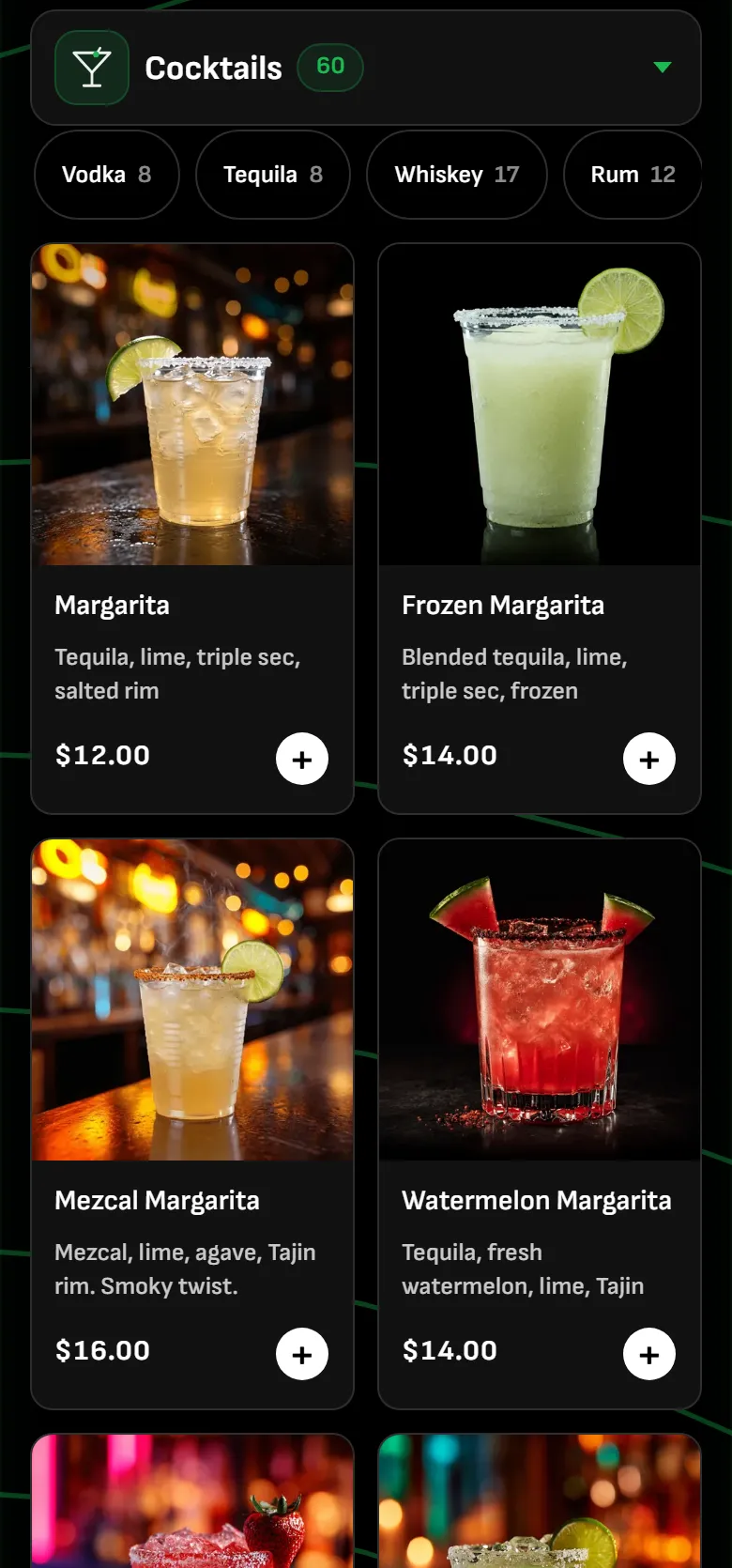
Customer
Order from where you stand.
The bar's live menu with real photos, flavors picked on the phone, paid before the drink is made.
Customers order and pay from their phone, anywhere in the room. Your bartenders work one queue in the order it came in. Pickup is a QR scan.
Ready now? Create your venue account or send us your venue details and we build it with you.
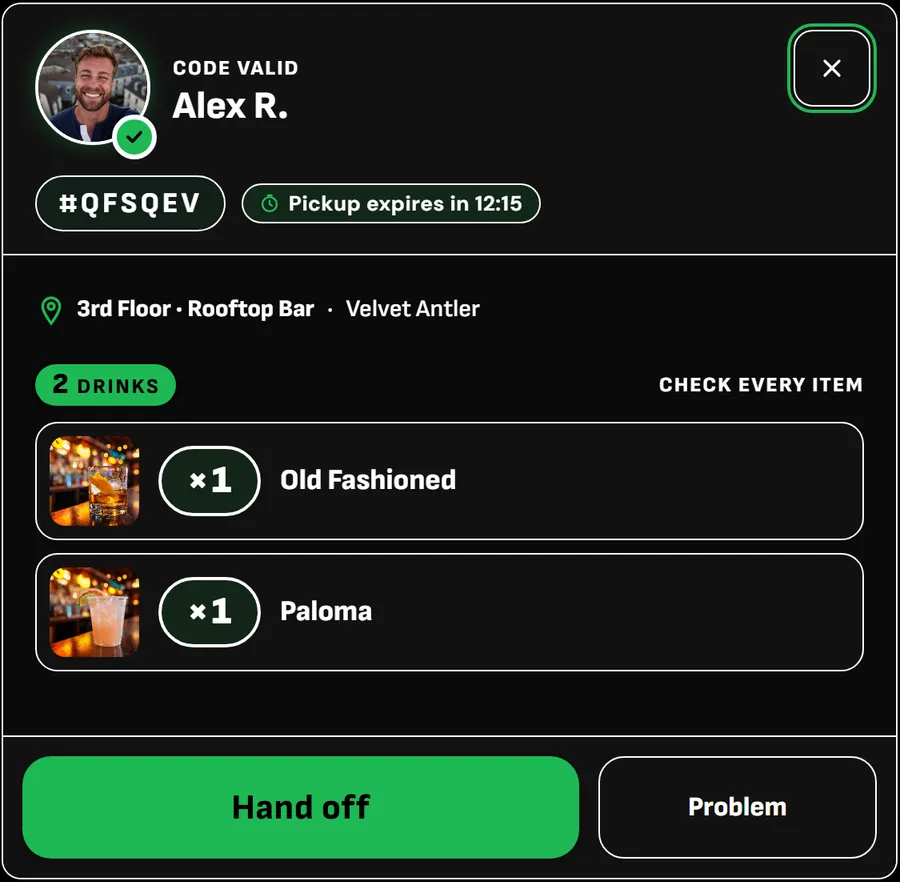
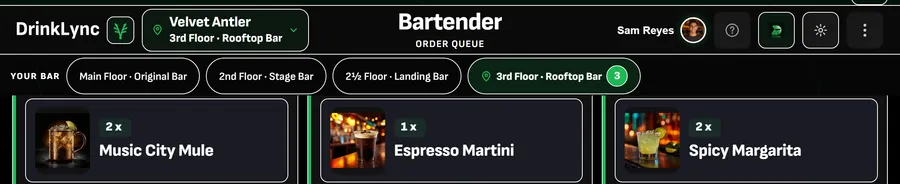
A customer orders a round, your bartender makes it, the pickup point hands it off, and you see the night as it happens and the morning after. Then what happens when something goes wrong, setup and pricing. Filmed in the real app on a demo bar.
An illustration of one round, not a measurement of any bar. Times are an example.
Real app screens, with customer names removed. Nothing here is a mockup.
The bar's live menu with real photos, flavors picked on the phone, paid before the drink is made.
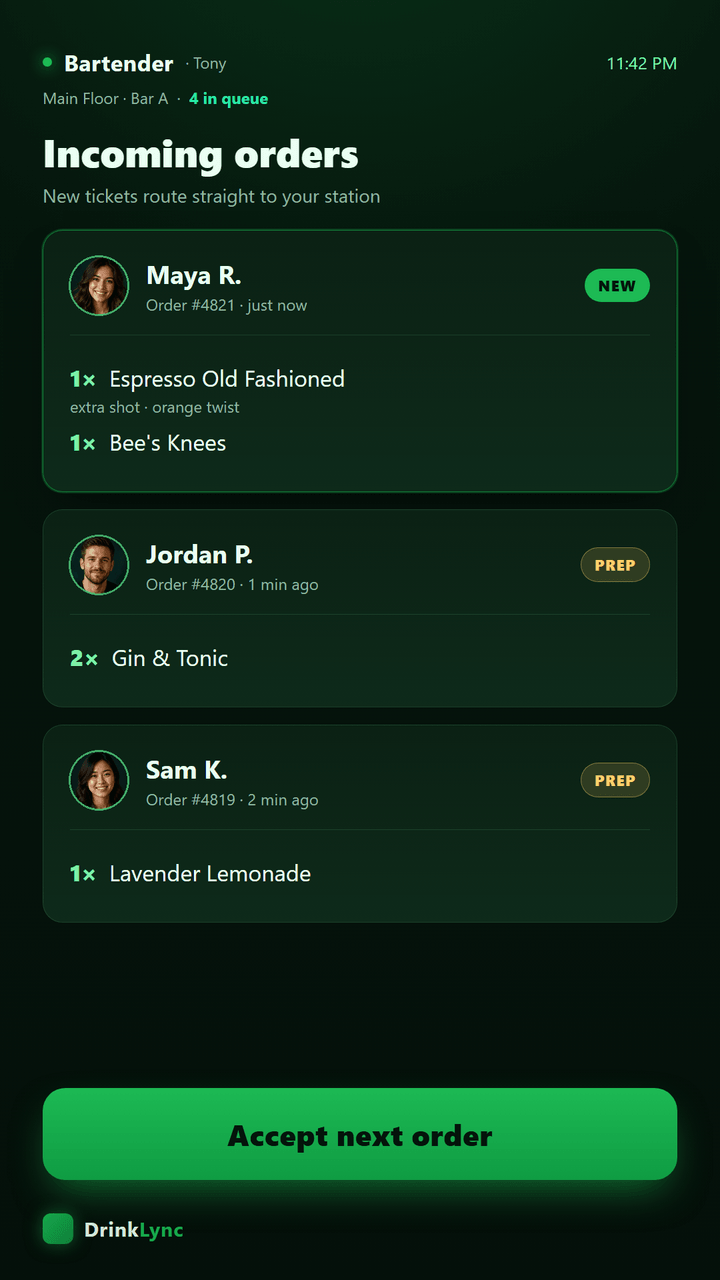
Paid, typed tickets arrive in sequence. No shouting, no tabs, no cards behind the bar.
Every item checked against the order before it leaves the rail. Walked drinks stop.
Speed by bar and the next action to take, from a phone anywhere in the building.
See your projected value with your own inputs first, or go straight to onboarding. There is no trial period: when you onboard, we build your venue and you go live.
DrinkLync has not measured your bar yet, so nothing on this page is a reading from your room. What follows is the list of numbers we put in front of you from night one, a projection you can drive with your own inputs, and a clear guide to the features available today and what is coming next.
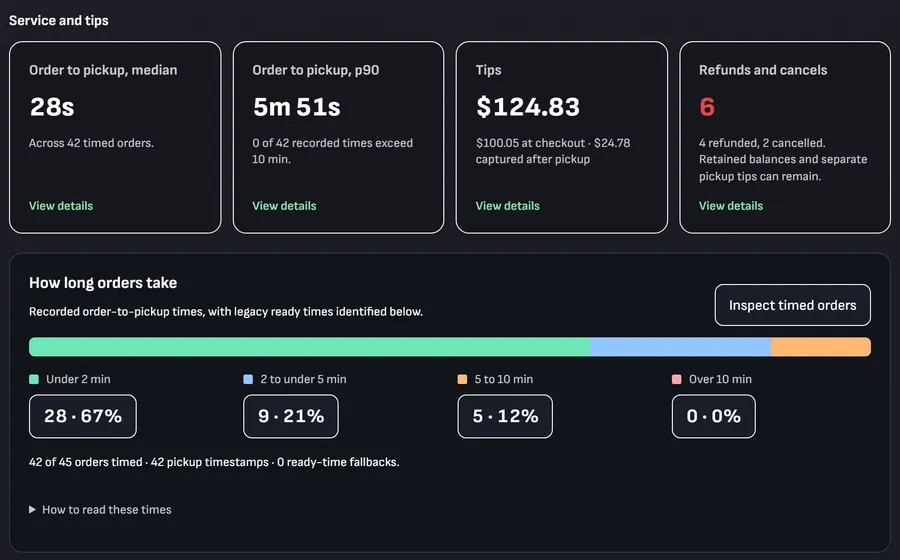
Each of these comes out of the order ledger itself — the same records that move a drink from tap to handoff. No survey, no sampling, no estimate.
Your number, once you're live.Nothing is shown until there are five real pickups to read.
Your number, once you're live.Reported separately from venue revenue, always.
Your number, once you're live.Compared against the same weekday last week, not against a benchmark we invented.
Your number, once you're live.A zero here is only ever a counted zero, never an empty table.
Your number, once you're live.Score and sample size travel together, or neither is shown.
Your number, once you're live.No campaign, no ROAS. We don't fill the gap.
These are the numbers we will hand you. Set your venue up and start reading your own.
Put your own bar in. This is the same model as the quote we email a bar after intake — faster service, bigger rounds, and customers who no longer give up on the line — because no single one of those carries the case on its own. Value is what your venue keeps after pour cost and card processing, at a 78% bar margin, set against every DrinkLync line item you choose. Every assumption is in the table underneath, and the full model with every input exposed is on the math page. Projection, not a guarantee.
| Assumption | Low | Base | High | Where it comes from |
|---|---|---|---|---|
| Driver 0Drinks ordered on DrinkLyncNot every customer orders in the app. Every driver below applies only to this share of the night. | 18% | 30% | 45% | DrinkLync estimateFor scale: mobile orders are 31% of Starbucks’ U.S. company-operated transactions (Starbucks Q4 FY25 investor dashboard). Replaced by your real share once you are live. |
| Driver 1Throughput, time per drinkDrinks an hour one bartender gets out on DrinkLync orders, over today. A drink takes about 65 seconds of bartender time today (take the order, ring up the card or tab, hand it over, plus about 35 seconds to make or pour it); an app order arrives ordered and paid, and the queue batches identical drinks, so it takes about 40 to 43. The whole-bar lift is that, time-weighted by the share above (for a generic bar: +7% / +13% / +21% more rail capacity). That lift is claimed only in the true rush hours, where a packed rail runs at about 80% of its ceiling today (DrinkLync estimate), and every gain, ticket size and walk-aways included, stays inside the freed rail time. The rows above are for a generic bar's drink mix; your venue type's mix moves them. | +52% | +63% | +63% | Published inputs, our arithmeticMake times from restaurant consultant Jerry Prendergast via Tasting Table: about 45 seconds for a draft beer, 30 for a glass of wine, 60 for a classic cocktail. Card payment takes 5 to 10 seconds (NFC World). Order-taking (20 seconds), handoff (5), what an app order still takes (15 / 8 / 3 seconds) and batching (20 / 30 / 40% of app drinks batched, saving 30 / 40 / 50% of their make time) are DrinkLync estimates. Never more than 90 drinks an hour per bartender, the top of published high-volume benchmarks. |
| Driver 2Ticket size on app ordersApp orders run larger: upsell prompts, no pressure at the rail, reorders in two taps from where they stand. Applied to the app share of the already larger served volume. | +5% | +10% | +20% | Published, discountedLow case near the Tampa Bay Rays' 5.6% higher check average after mobile ordering (Shift4); base case near Shake Shack's nearly 10% higher kiosk check (company reported); high case near Appetize's 22% larger stadium mobile orders versus the point of sale (vendor reported). Square reports 42% higher ticket sizes with open tabs on self-serve ordering (Square platform data, published 2021-10-07, vendor reported), and Barpay claims 30% higher checks with QR ordering (vendor marketing claim, method not published). One independent field study found kiosk checks lower, so we stay below the vendor claims. |
| Driver 3aWalk-aways todayShare of peak demand that gives up on the line and buys nothing. | 12% of baseline | DrinkLync estimateReplace it with your own door count minus your own tickets and the projection moves with you. | ||
| Driver 3bWalk-aways recoveredShare of those lost customers who order once the line is no longer the way to buy. | 25% | 50% | 75% | DrinkLync estimateWe found no independent published benchmark for this driver either. |
| ResultCombined revenue effectDrivers 1 to 3 compounded, not added. | +8% | +14% | +20% | Computed on this pageFor the worked example above, derived from the three rows above, not claimed: each driver is rounded to whole drinks and added, and order size applies to the post-throughput volume, which is why the total is not a straight sum. Your inputs move it. |
| CostGross margin on a drinkWhat is left of a dollar of drink revenue once the liquor is paid for. Added revenue times this is what the panel shows as kept. | 78% | DrinkLync estimateAn industry bar margin, the same default the quote we email you uses, and labelled there as a default. | ||
| CostCard processingStripe’s standard fees, paid by your venue directly to Stripe on its own account. DrinkLync takes 0%. Subtracted above. | Your Stripe rate, for example 2.9% + 30¢ per charge | Stripe's published rateStripe's standard United States online card rate (stripe.com/pricing), applied to the added revenue, one charge per in-app order of about 1.5 drinks. Your venue’s own Stripe rate is what actually applies. It may be lower on volume, higher on international or manually entered cards. It is subtracted from what the panel shows as kept, the same as in the quote we email you. DrinkLync does not set it, collect it or mark it up, and takes 0%. | ||
| InputBusy nights in a monthHow many of your nights the projection is allowed to count. | your nights per week × 52 ÷ 12 | Computed on this pageA year is 52 weeks and a month is a twelfth of a year, so every monthly figure times 12 is the yearly figure. | ||
| StaffTip rate today, versus in-app preset promptsTips are your bartenders' income. | 15% → 18% | 15% → 20% | 15% → 22% | Illustrative tip scenariosThe app preselects a 20% tip (presets 18%, 20%, 25%, 33% plus Custom) and adds a round-up by default; the 15% starting point and the 18% to 22% scenarios are planning assumptions, not measured DrinkLync results or promised increases. Compare them with your own customer tipping patterns. Tips are never counted as venue money anywhere on this page. |
| PriceWhat DrinkLync bills you, all of itSubtracted from the projection before any return is shown. | $699/month Core (one station included) · $299/month per extra station · $500 one-time setup for the venue, whatever the station count · $199/month Insights, optional | Published plan pricingThe calculator subtracts the plan options you selected above. Review your itemized quote before subscribing. DrinkLync takes no percentage of your sales and no cut of a drink or a tip. See the full price list. | ||
| RuleThe floor ruleWhen a return multiple is allowed to appear at all. | A return is printed only when the low scenario clears what you pay us | Conservative return thresholdCalculated on what you keep after pour cost, the same rule as the quote we email you. Below that line the panel shows break-even instead of a return multiple. | ||
This projection excludes the value of staff time saved and is after card processing. Once you're live, your nightly recap compares actual orders, wait times and sales with these planning assumptions.
Once you're live, your own Fridays replace every projection above with a reading.
Explore what your team can use today and what is coming next. We will confirm the features included in your venue setup before you launch.
| Capability | Status | What it does, and what it puts in front of you |
|---|---|---|
| Customer app — order ahead, pay, pick up | Available now | Menu, cart, one-tap checkout with a saved card (Apple Pay and Google Pay are not available yet), a geofence check so nobody orders from the parking lot, and a live order tracker. Feeds order-to-pickup, spend per customer and customer rating. |
| Bartender queue | Available now | The prep rail: tickets partitioned by station, aged so the oldest cannot be buried, batching suggestions for repeated pours, and a shift view. Feeds orders per bartender-hour, remake rate and tips per order. |
| Gatekeeper QR handoff | Available now | Scan, validate the pickup token, hand the drink over. Works offline and queues the handoff. Every handoff is stamped, which is what makes a walked comp visible instead of invisible. |
| Manager Action Center | Available now | The manager home screen: tonight's board, what needs attention, and a resolve-or-dismiss outcome on every item, so a flag is closed rather than just seen. |
| Insights | Available now | The deeper analytics surface for managers, bartenders, gatekeepers and brands. Every venue gets Insights for its first month, and it lapses unless you choose to keep it. The paid $199/month charge is not switched on in production yet, so nobody can be billed for it until it is. |
| Promotions and venue offers | Available now | Build a promotion from a template, preview it, activate it, and issue promo codes. Brand-sponsored placement and its measurement are switched on in production, and the ROAS card above is how a placement gets scored. A venue's own Featured in Discover placement is coming soon. |
| Gifts — send a drink to another customer | Available now | Send and claim gifted drinks, one drink or a round, with the age gate and the real card charge on the sender's side. A gift is your sale when it is bought, charged on your own Stripe account; it is final sale, and the recipient has 24 hours to claim it. |
| Round buys | Available now | Buy a round for a group; each customer claims their drink from a link or a QR, and the round reaches the manager side as one event rather than as scattered tickets. |
| Apple and Google Wallet passes | Available now | Customers add a pickup pass for their order to Apple Wallet or Google Wallet from the order screen. The pass follows the order's status and turns into the pickup QR code when the bar marks the drink ready, so staff scan it straight from the lock screen. Apple Pay and Google Pay at checkout are not available yet; customers pay with a card saved to their account. |
If a capability you need is not on this list, say so in your venue details below and we will tell you whether it exists, rather than whether it could.
Bring DrinkLync to your bar. Start your venue setup and choose the tools your team needs.
Two minutes on the form below: bars, stations, and where the line actually forms. A person replies and you see the exact monthly number before you commit.
Your menu, your floors, your stations, your staff screens. Setup is done for you — bartenders learn it in one shift briefing.
Your first busy night on the system: live queue, QR pickup, manager dashboard. Your staff learned it in one shift briefing, and we are on call that night.
Orders per hour, wait times, top SKUs, per-station throughput. The nightly recap in your dashboard tells you what to change next.
Before you send
Core is $699 a month plus a $500 one-time setup, with one station included, on a yearly agreement. Extra stations are $299 a month each, with no extra setup. DrinkLync takes no share of your sales. Every number, in full.
Each station is two iPads, one for the bartender and one for the gatekeeper. Pair iPads you already own by scanning a QR from your setup screen, or tell us how many you need and we ship them pre-configured and locked to DrinkLync. Managers use any browser. You keep your POS.
You go live as soon as DrinkLync has reviewed your setup. We build your venue, floors, bars, stations and full menu before your first night live, and your staff learns it in one shift briefing.
Straight to your own Stripe account; DrinkLync never holds it. Stripe bills you its standard card fees. DrinkLync adds nothing on top.
Nothing. Customers download the app at no cost (21+), and there is no DrinkLync fee on an order: customers pay your menu price plus their tip.
Insights is $199 a month. Every venue gets it for the first month, and it is never charged automatically: it lapses unless you choose to keep it.

Take ten seconds. This is exactly what we'll receive.